How to withdraw money from your savings account?
Taking money out of your savings is quick and simple. Here's how to do it. Using the App. Log in to the app. Tap your savings account. Tap "Withdraw". Enter the amount and where to send it, then clic…

Updated
by Serve and Protect Credit Union
Taking money out of your savings is quick and simple. Here's how to do it.
Using the App
- Log in to the app
- Tap your savings account
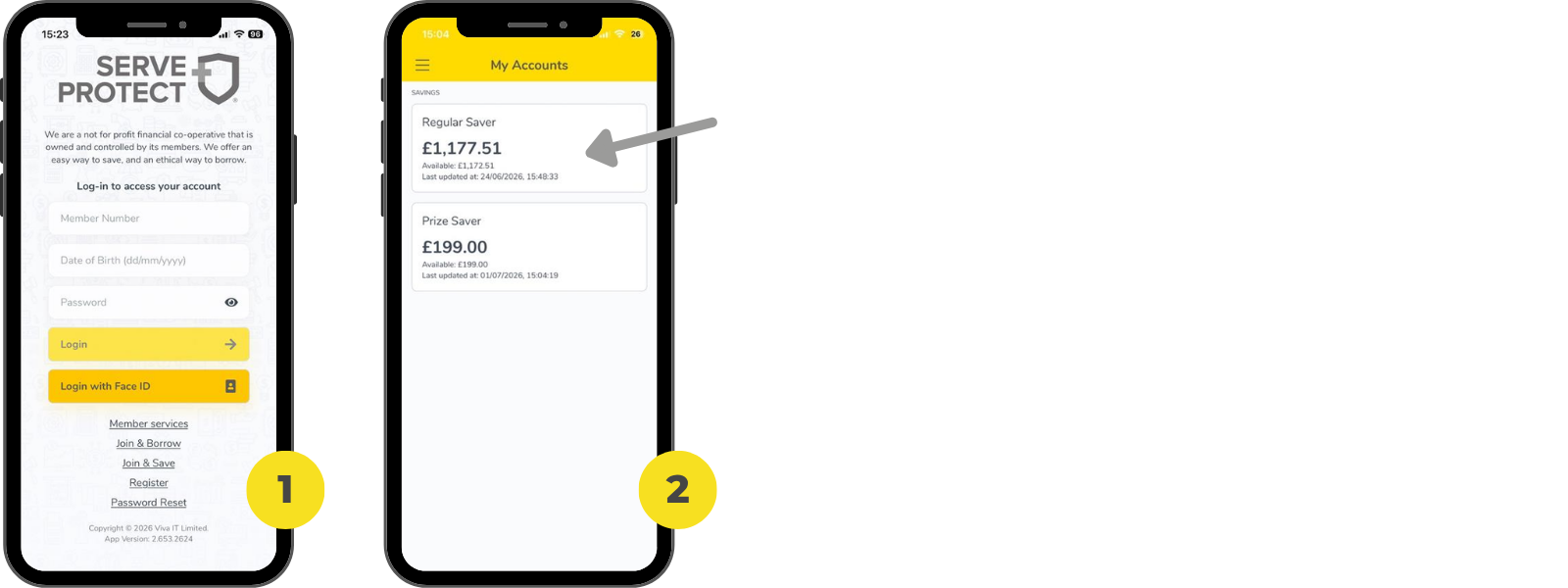
- Tap "Withdraw"

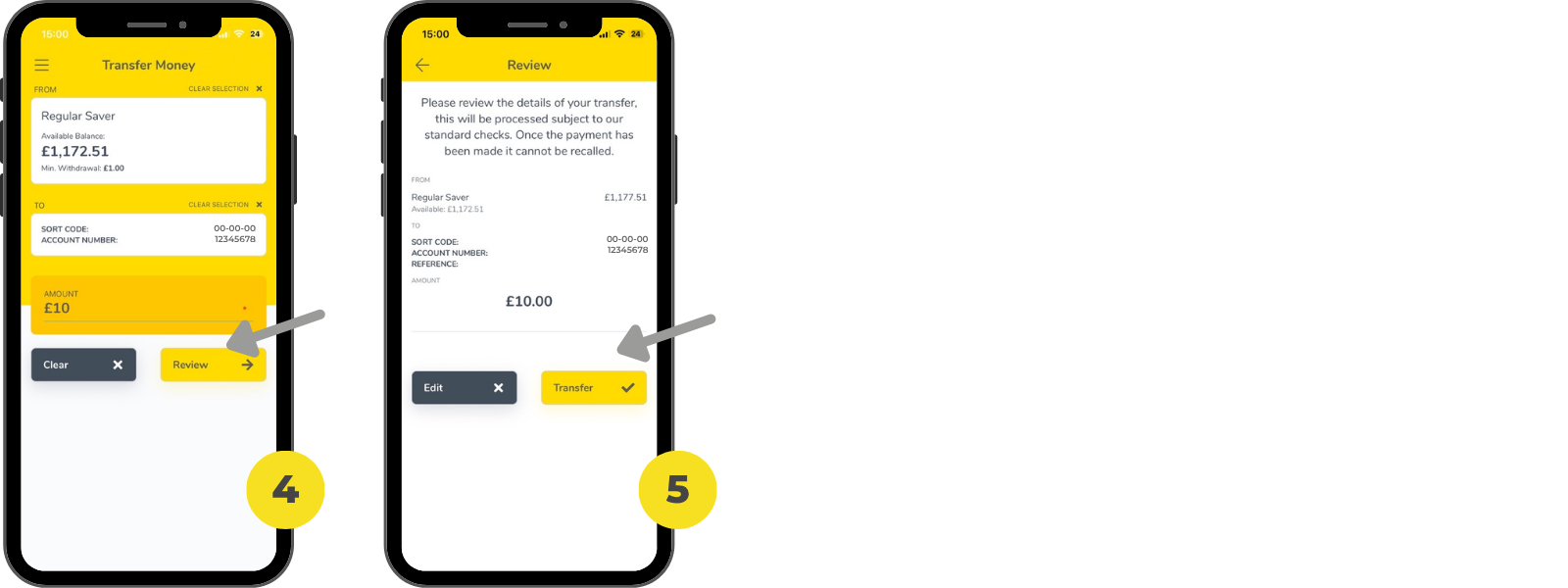
- Enter the amount and where to send it, then click "Review"
- Tap "Transfer" - that's it!
Using Online Banking
- Log in at our website
- Select your savings account
- Click "Withdraw", enter the amount and confirm
Note: Some savings accounts have withdrawal limits. This could mean your account has a fixed term or notice period. Not sure? Check your account terms or reach out to us - we're happy to help.
How did we do?
How do I change my monthly savings contribution?
Are there any withdrawal limits for savings?