How do I change my monthly savings contribution?
Saving money is a great habit, and we want to make it easy for you to save an amount that feels right for you. Whether you want to save a little more or a little less each month, changing your saving…

Saving money is a great habit, and we want to make it easy for you to save an amount that feels right for you. Whether you want to save a little more or a little less each month, changing your savings amount is simple.
Here’s a quick guide on how to adjust your monthly savings.
How it works
Most people save with us directly from their pay, which is called payroll deduction. You can also save by setting up a Direct Debit from your bank account.
Want to change how much you save each month? It’s super easy! You can do it on our mobile app.
- Log in to the app
- Tap the menu icon on the top left
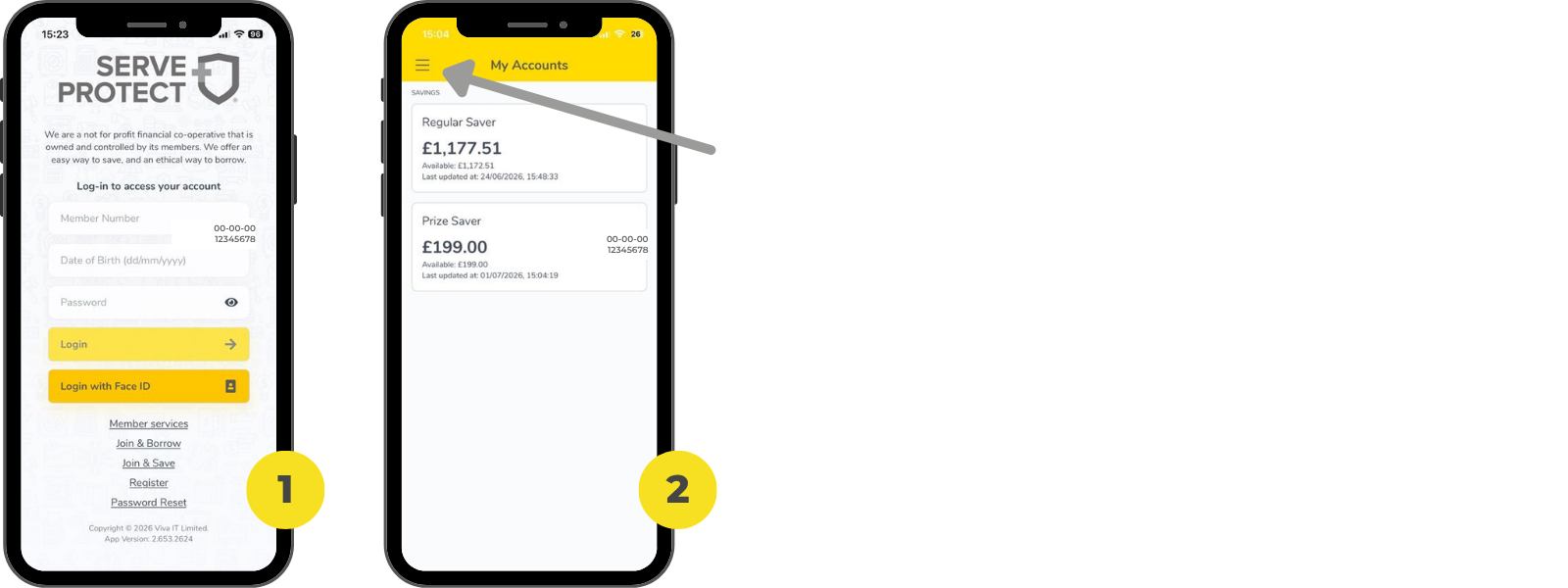
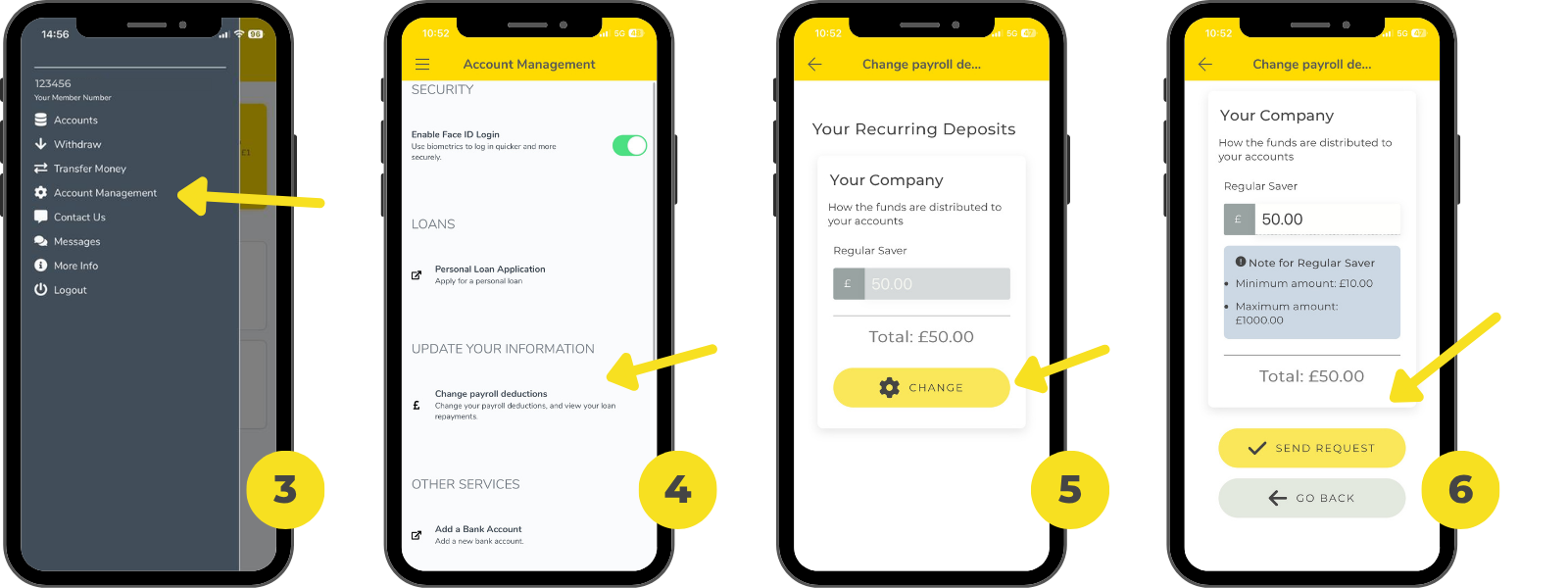
- Click "Account Management" in the menu options
- Select "Change payroll deductions" under 'Update Your Information'
- Click 'Change' and enter your desired savings amount
- Once you're ready, click 'Send Request'
If you need to call:
- You can give our friendly team a call on 0121 700 1222.
- Tell us your full name and how much you'd like to save each month.
- We’ll take care of the rest for you!
If you prefer to email:
- Send an email from the address we have on file for you.
- In your email, please tell us:
- Your full name.
- How much you currently save with us.
- The new amount you’d like to save each month.
- We’ll confirm once it’s all updated!
If you save from your pay, it might take a month or two for the new amount to show up. So don’t worry if you don't see the change right away!
Need some help?
We want to help you reach your savings goals, whatever they are. If you’re not sure how to change your savings amount or have any questions, our friendly team is always here to help you.
How did we do?
How to withdraw money from your savings account?